How It’s Changing Everyday Life
The smart home has ”grown up”. In 2026, it’s no longer about “controlling a bulb from your phone,” but about devices that work together across brands, context-aware automations that know when you’re home, and energy orchestration that trims your bills while keeping the house comfortable. The keyword is interoperability: the Matter standard, more powerful automation editors from Google and Apple, and practical features the whole family will use.
1) Interoperability: everything “just works” with Matter
What’s changed: Matter introduced a common language for devices (lighting, shades, sensors, major appliances, EV chargers, and more). Versions 1.3 and 1.4 added energy/water reporting plus heat pumps, water heaters, solar (PV) and home batteries—paving the way for a household that can see and control consumption and make smarter choices.
What this means for you
- Mix and match brands—your devices still talk to each other.
- Setup is simpler, with fewer bridges.
- More device categories get support every year.
2) Automations that understand context (presence & conditions)
New editors in Google Home and updates to Apple Home make it easy to build rules in a smart home with conditions: time/day, who’s at home, targeted notifications, and one-time actions (e.g., “this Friday only”).
Simple examples
- “When everyone leaves, turn off lights/devices and set back the thermostat.”
- “If the balcony sensor detects motion after 23:00, turn on path lights and send a notification.”
- “On weekdays at 08:00, open shades to 50% and set the temperature to 21 °C (70 °F).”
3) Energy: from “seeing usage” to smarter decisions
With Matter 1.3/1.4, many devices report energy and coordinate: EV charger, major appliances, heat pump, water heater, PV/battery. The goal is load shifting to cheaper hours and better overall consumption.
What to expect in the EU: from 2025 onward, new eco-design and energy-label frameworks boost transparency and efficiency for connected devices—so you can choose better.
A practical scenario
- The water heater/heat pump runs more at midday when PV output is high.
- The EV charges after midnight on off-peak tariffs.
- Laundry appliances queue instead of all running at once.
4) Security & privacy: the platforms have matured
The major platforms now offer stronger access control, activity history, and guest roles (Apple Home), plus a web console and richer triggers/conditions (Google Home). You’ll know who did what, when, and you can build rules without workarounds.
5) What this looks like room-by-room
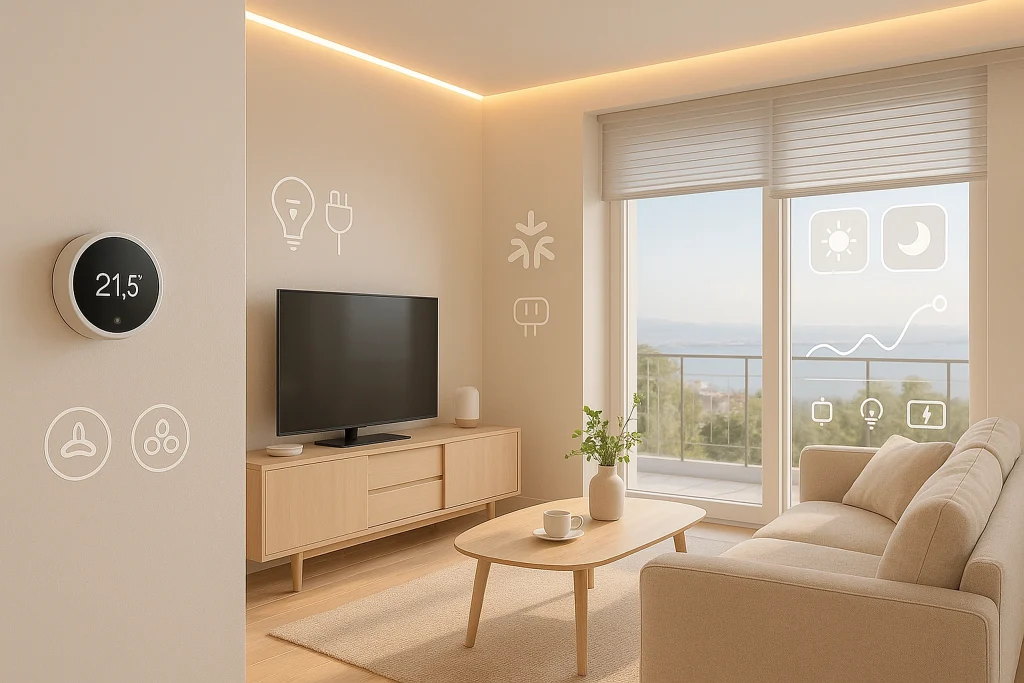
Living room
- Three lighting layers (ambient/task/accent) with scenes: “Everyday,” “Movie,” “Entertaining.”
- When it gets dark and you’re home → dim lights; close shades to 60%.
- If the balcony door stays open for 10 min → notify and pause the A/C.
Kitchen
- LED strips under cabinets for task lighting.
- Morning presence/CO₂ trigger → gentle lights on and set 21 °C (70 °F).
- Dishwasher/washer scheduled in the off-peak window.
Bedroom
- “Night path”: ultra-low toe-kick/hall lighting on motion (no glare).
- Wake-up: before the alarm, open shades 20% and ramp up light gradually.
Entry / outdoors
- After 01:00, exterior lights at 30% for safety without waste.
- If nobody’s home and the doorbell rings → hallway light/camera on + alert.
6) Buyer’s guide for 2026 (checklist)
- Matter-compatible devices for a future-proof setup. Confirm the categories you need (e.g., water heater/heat pump, shades, sensors).
- Control hub: pick Google Home or Apple Home with a capable editor and a clear app everyone can use.
- Energy features: prefer devices with energy reporting and scheduling.
- Network: solid Wi-Fi, ideally with Thread support for small devices (check your hubs/routers).
- Security: member roles/permissions, action history, and 2FA on all accounts.